
Learning Center
reading
Plan 3 components into every anchor chart
april 4, 2023
Anchor charts provide a visual way to capture key information about a new concept or complex strategy. But for an anchor chart to be effective, it requires careful planning.
Whether you use chart paper, foam board, or Google Slides, the content of an anchor chart is built during the whole-class lesson, piece by piece, in front of students. However, before revealing even the first piece, it’s important to know what your final anchor chart will contain.
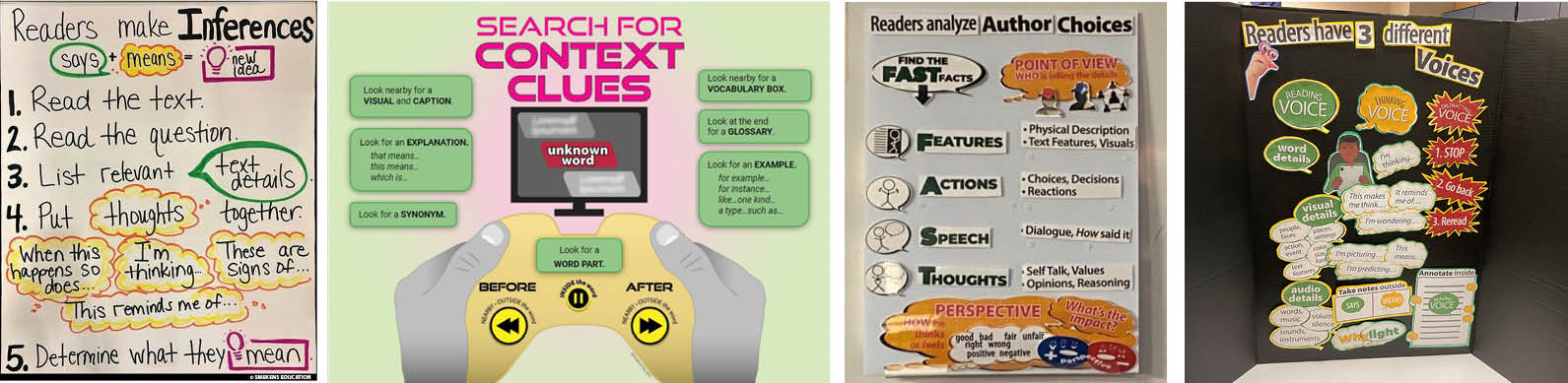
Anchor Chart examples:
Inferences | Context Clues | Reader Voices | Author Choices
This requires planning three key pieces of information.
1. Title the chart
Identify the single skill, strategy, or concept within a title across the top. Use accurate academic vocabulary and make the font as big as possible.
(Although an anchor chart is at the front of the room during initial learning, it will be replaced when a new skill is introduced. This week’s chart will move to the side or back of the room for continued practice. Therefore, make the fonts large enough on anchor charts to be read from across the classroom.)
2. Plan the content
If the skill, concept, or strategy is complex, then it makes sense that it’s hard to explain. Therefore, don’t “wing” this wording during the lesson. Rather, plan how to communicate the important information effectively.
- Determine the steps, facets, types, or characteristics the skill includes.
- Choose precise wording to explain what it is and how it works.
- Edit all those words to maximize efficiency and font size.
Notice what is NOT on the anchor chart—examples of the skill in action. This visual tool reveals how the universal concept works all of the time—not just sometimes.
While many examples are executed during the lesson, they are not housed on the anchor chart. Rather, they are completed on the nearby whiteboard while the teacher refers to the universal anchor chart to execute the thinking process.
3. Plan out the spacing
Anyone who has ever tried to make a homemade “Happy Birthday” card will know why this is important. If you make that H or B too big, then the rest of the words shrink in size across the top of the card. This is true for anchor charts made on the fly, as well.
After planning what to say, now determine how to display it.
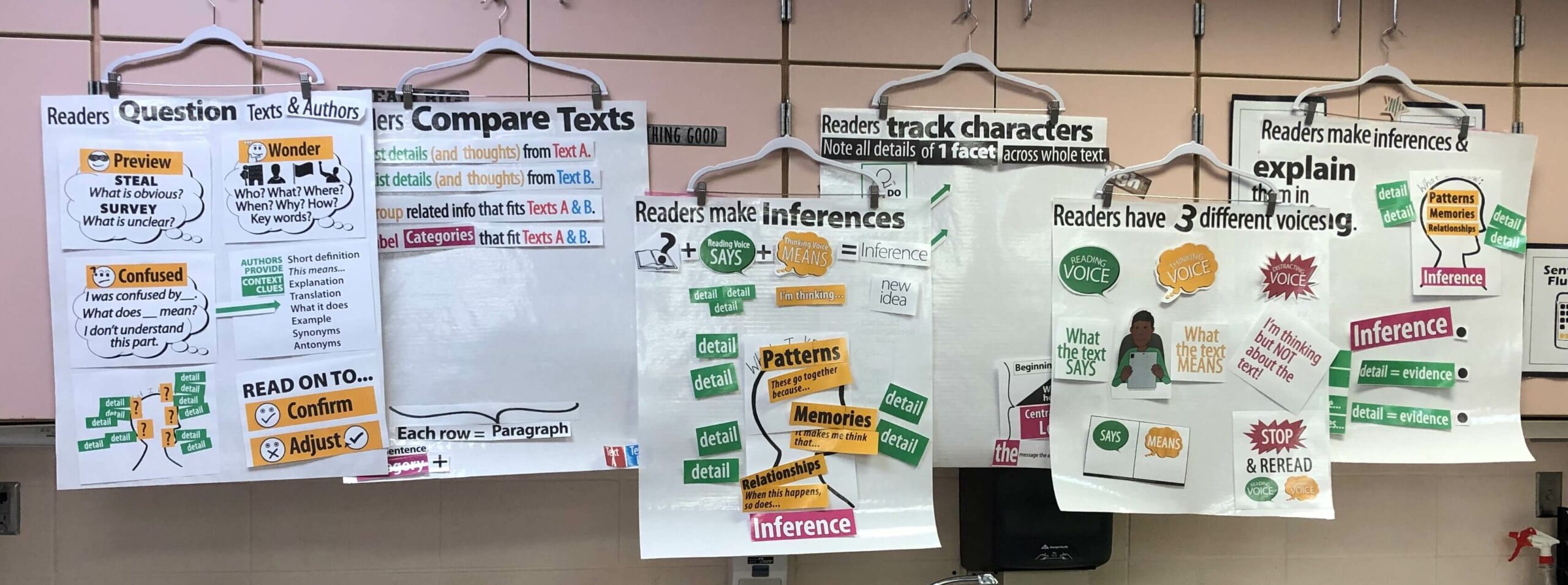
- Brainstorm relevant graphics, symbols, & visuals that communicate information—not just add decoration.
- Use color to show relationships and things that go together.
- Consider the use of bullets, numbers, lines, or arrows to convey sequence and specifics.
Planning the complete anchor chart BEFORE the first lesson ensures a smooth build of the chart DURING the lesson. And when the anchor chart is organized and easy to follow, it will support students even AFTER the lesson.

Launch a digital writer’s notebook
[reading]